
Posting in Bloggingpro
Post Formats
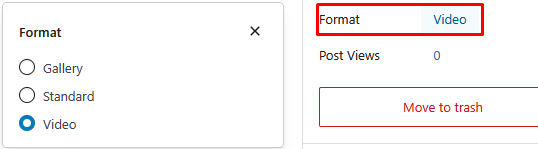
- Standard: regular post with a featured image.
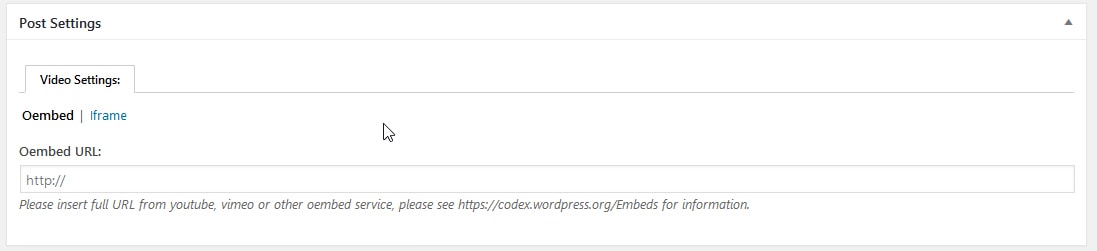
- Video: use the Video post format, add the video source via Oembed or Iframe in Video Settings.
- Gallery: use the Gutenberg Gallery block or insert a gallery in the Classic Editor.
Here is an example of post format settings:
Steps for a Standard Post
- Posts > Add New.
- Fill in the title, content, category, and tags.
- Set the featured image. Featured image tutorial.
- Publish.
Video Post
- Switch the post format to Video.
- In Video Settings: choose Oembed and paste the YouTube/Dailymotion URL, or use an Iframe.
- Set the featured image. Featured image tutorial.
- Publish.
Here is an example of video settings:
Gallery Post
- Switch the post format to Gallery.
- Add images using the Gallery block or insert a gallery.
- Set the featured image. Featured image tutorial.
- Publish.
Split Post
- Split an article into multiple pages by inserting:
<!--nextpage-->in the Classic Editor or using thepage breakin the Gutenberg Editor. Split post tutorial.