
Solution to Add Icons to Menus in Idtheme Themes
Before following the steps, the original documentation provides a tutorial video for usage.
Video Tutorial
Please watch the tutorial video as an initial guide.
Some users want to add small icons next to menu text, such as Home, Search, or specific category icons.
The recommended solution in Idtheme themes is to use the Menu Icons plugin.
Below are the complete steps.
1. Install the Menu Icons Plugin
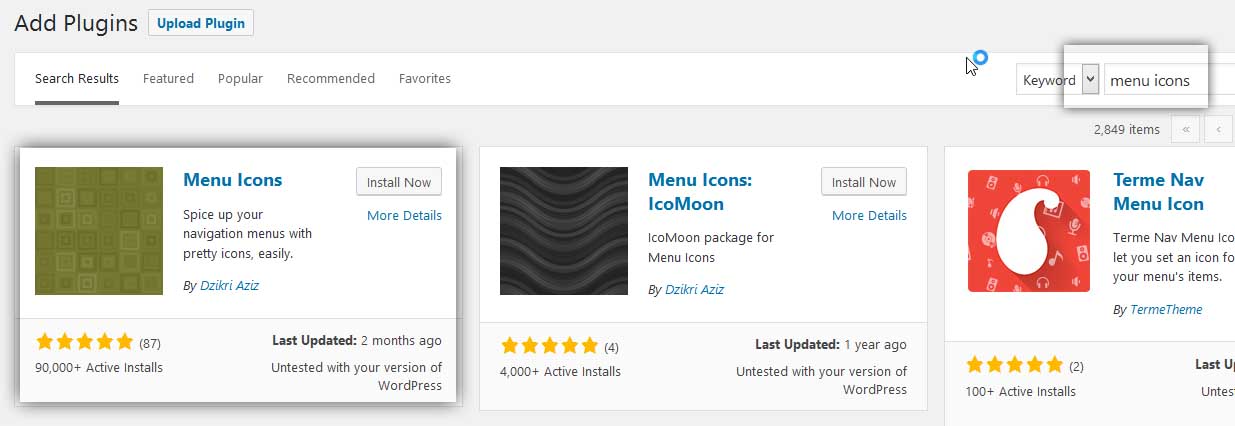
- Go to Plugins → Add New.
- In the search field, type:
menu icons. - Find the plugin named Menu Icons (ensure the name is: Menu Icons by ThemeIsle).
- Click Install Now, then Activate.
Plugin link: https://wordpress.org/plugins/menu-icons/
After the plugin is active, icon settings will appear on the WordPress menus page. Example screenshot:
2. Configure Icons in Appearance → Menus
- Go to Appearance → Menus.
- Choose the menu you want to edit (e.g., the main menu).
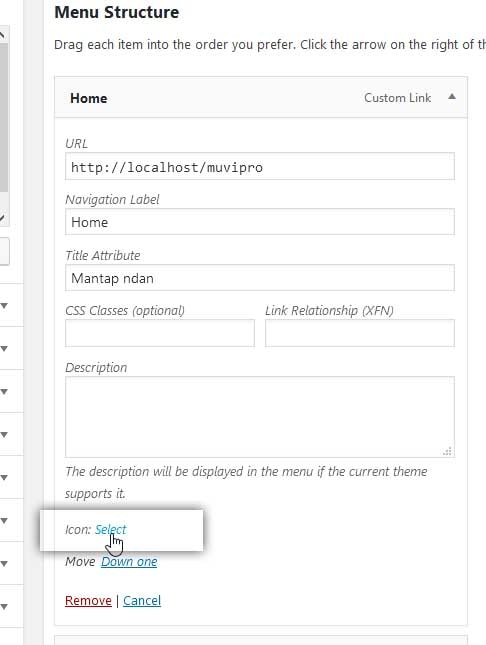
- Click one of the menu items, such as Home.
- After the plugin is active, an Icons setting appears inside that menu item.
- Click the Select button in the Icons section. Screenshot:
3. Choose an Icon from the Popup
After clicking Select:
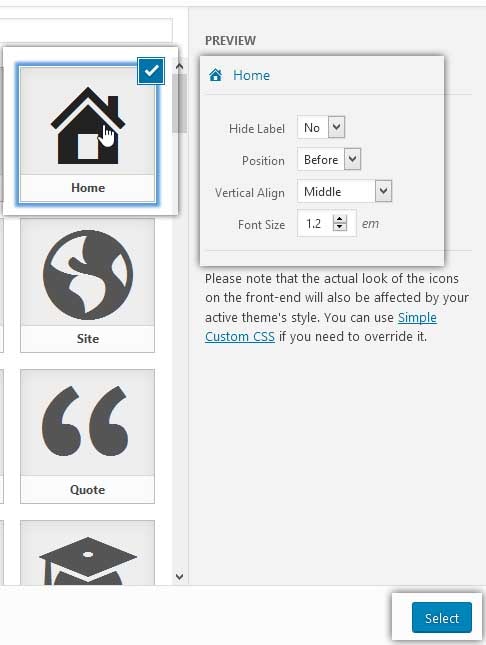
- An icon selection popup appears.
- Choose any icon you want (e.g., a home icon for the Home menu).
- On the right side of the popup, additional settings usually appear, such as:
- Icon position (before/after text).
- Spacing between icon and text.
- When finished configuring, click Select in the popup. Screenshot:
Back on the menus page, you will see a preview of the icon next to the menu label.
4. Save the Menu
After configuring icons for the desired menu items:
- Scroll down.
- Click Save Menu.
Icons will now appear on the front end for that menu.
5. Additional Notes and Compatibility
- Ensure icons don’t break the layout, especially on mobile.
- If your Idtheme provides built‑in icon settings in the Customizer:
- Prefer using the theme’s built‑in features.
- The Menu Icons plugin can complement if the built‑in features are insufficient.
- If the menu layout becomes messy after activating the plugin:
- Temporarily deactivate the plugin to confirm the source of the issue.
- Adjust CSS if necessary.
By following the steps above, you can easily add icons to menus in Idtheme themes using the Menu Icons plugin.