
Muvipro v1.0.5 Update
Version 1.0.5 typically includes fixes and feature additions related to movie display and navigation (per the official changelog). This release adds many new features, such as infinite scroll, popup banners, player notifications, and more.
Muvipro v1.0.5 Video Tutorial
Customization
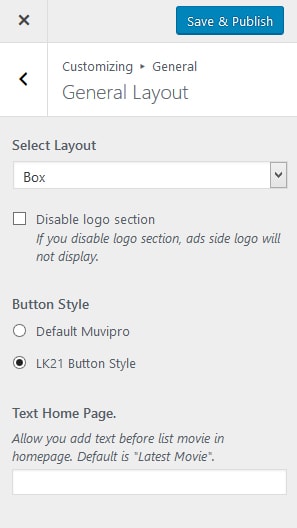
Button settings like lk21: if you want to change the default theme button to an lk21‑style button, go to Customizer -> General -> General layout and switch Button style to Lk21 Button Style.
To change the “latest movie” text on the homepage, go to Customizer -> General -> General layout and fill in Text Home page there.
If you want to show a notification above all players, go to Customizer -> Movie -> Movie Content and fill in Player Notification to display a notice on every player you add to the post.
Here is a screenshot:
Adjust details according to the official changelog. Use this page to record your internal changes.
Custom Field
If you want to add a specific notification to a particular movie post, edit your movie, then click the Player Settings tab and fill Player Notification in that setting.
Here is the screenshot: 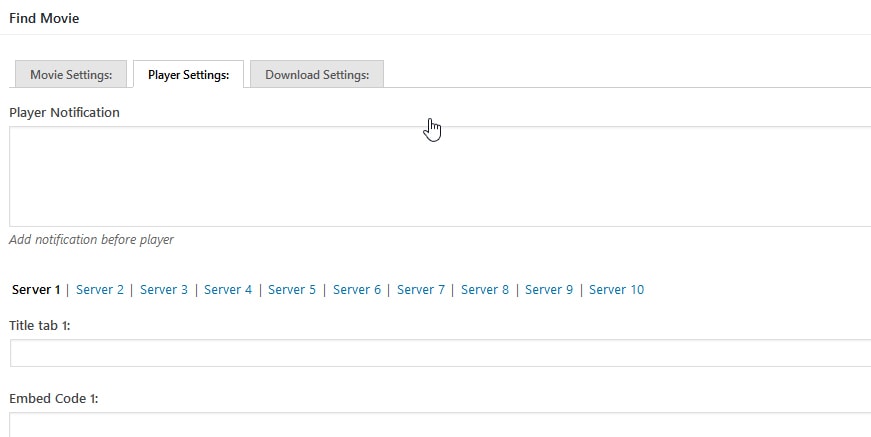
Idmuvi Core
In version 1.0.5 there are also new features in the Idmuvi Core plugin:
Popup banner feature: go to Idmuvi Core -> Ads, check the popup banner settings, and add your banner there.
To enable infinite scroll navigation: in the latest version this is in the customizer. Go to Customizer -> Movie -> Movie Layout, and change Blog Navigation Type to Infinite Scroll.
To sort content on the index and archive pages by Year, Rating, Title, or latest posts, go to Idmuvi Core -> Ajax & Content and change Content Order By as needed. See the important note below.
Important notes:
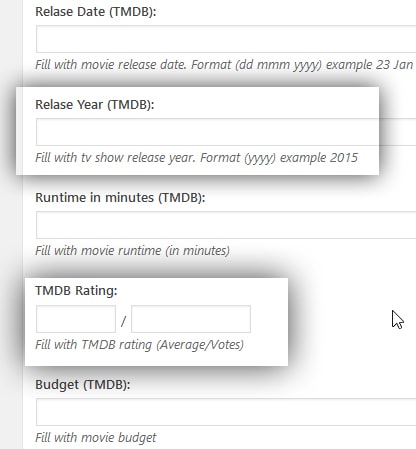
If you configure Content Order By, make sure movie data such as TMDB Rating and Release Year (TMDB) are filled. In previous versions TMDB Rating was available, but Release Year (TMDB) was not. This caused content not to display when switching to Order By Release Year in the Content Order By settings.
Other Notes
Another note: all new posts will be automatically populated if you use TMDB Post. So don’t worry about new content.